Convert a time from seconds to minutes. You can show the answer as decimal minutes or in minutes-and-seconds format.
Seconds to Minutes Formula
There are exactly 60 seconds in one minute:
1 min = 60 s
To convert seconds to minutes, divide by 60:
Time in minutes = Time in seconds ÷ 60
For example:
90 s ÷ 60 = 1.5 min
The same duration can also be written as 1 minute and 30 seconds.
How to Write the Answer in Minutes and Seconds
Sometimes a clock-style answer is easier to understand than a decimal. Divide the seconds by 60, use the whole number as the minutes, and keep the remainder as the seconds.
For example:
100 ÷ 60 = 1 remainder 40
Therefore, 100 seconds = 1 minute 40 seconds. As a decimal, it is approximately 1.6667 minutes.
Seconds to Minutes Conversion Table
| Seconds | Decimal Minutes | Minutes and Seconds |
|---|---|---|
| 10 s | 0.1667 min | 0 min 10 s |
| 20 s | 0.3333 min | 0 min 20 s |
| 30 s | 0.5 min | 0 min 30 s |
| 45 s | 0.75 min | 0 min 45 s |
| 60 s | 1 min | 1 min |
| 75 s | 1.25 min | 1 min 15 s |
| 90 s | 1.5 min | 1 min 30 s |
| 100 s | 1.6667 min | 1 min 40 s |
| 120 s | 2 min | 2 min |
| 180 s | 3 min | 3 min |
| 300 s | 5 min | 5 min |
| 600 s | 10 min | 10 min |
| 900 s | 15 min | 15 min |
| 1,000 s | 16.6667 min | 16 min 40 s |
| 1,800 s | 30 min | 30 min |
| 3,600 s | 60 min | 60 min |
Seconds to Minutes: Why Can the Same File Take Longer to Download?
Imagine downloading the same 500 MB video twice. The first download finishes in under a minute, but the second keeps running for several minutes. The video has not grown larger; the amount of data remains the same. What changed was the rate at which the network delivered that data.
This is a useful real-life example of a Seconds to Minutes conversion. Download estimates are commonly calculated in seconds, but a longer result is easier to understand when expressed in minutes.
File size and network speed measure different things
File size describes the amount of stored data and is commonly displayed in megabytes (MB) or gigabytes (GB). Internet connection speeds are normally advertised in megabits per second (Mbps). The lowercase b means bits, while the uppercase B means bytes.
Because one byte contains eight bits, an 80 Mbps connection has a theoretical maximum transfer rate of approximately 10 MB per second:
80 Mbps ÷ 8 = 10 MB/s
The distinction matters because treating 80 Mbps as 80 MB/s would produce a download estimate eight times too short.
Estimating the download time
When the file size is stated in megabytes and the transfer rate is stated in megabits per second, the ideal download time can be estimated with:
Time in seconds = (file size in MB × 8) ÷ speed in Mbps
Once the result has been calculated, use a Seconds to Minutes Converter or divide it by 60:
Time in minutes = time in seconds ÷ 60
Example: downloading the same 500 MB video
On a connection delivering a steady 80 Mbps, the ideal transfer time for a 500 MB file is:
(500 × 8) ÷ 80 = 50 seconds
If the available throughput falls to 8 Mbps, the same calculation gives:
(500 × 8) ÷ 8 = 500 seconds
To convert seconds to minutes, divide 500 by 60:
500 ÷ 60 = 8.333... minutes
The decimal part represents one-third of a minute, or 20 seconds. Therefore, 500 seconds is more naturally written as 8 minutes and 20 seconds.
The video contains the same 500 MB in both examples. Reducing the transfer rate from 80 Mbps to 8 Mbps makes the ideal download take ten times as long.
How speed changes the download time
The following table applies the same calculation to one 500 MB file. It shows why some results are best displayed in seconds while slower transfers are easier to read in minutes.
| Transfer rate | Time in seconds | Decimal minutes | Readable duration |
|---|---|---|---|
| 1,000 Mbps | 4 s | 0.067 min | 4 seconds |
| 500 Mbps | 8 s | 0.133 min | 8 seconds |
| 200 Mbps | 20 s | 0.333 min | 20 seconds |
| 100 Mbps | 40 s | 0.667 min | 40 seconds |
| 80 Mbps | 50 s | 0.833 min | 50 seconds |
| 50 Mbps | 80 s | 1.333 min | 1 minute 20 seconds |
| 25 Mbps | 160 s | 2.667 min | 2 minutes 40 seconds |
| 10 Mbps | 400 s | 6.667 min | 6 minutes 40 seconds |
| 8 Mbps | 500 s | 8.333 min | 8 minutes 20 seconds |
| 5 Mbps | 800 s | 13.333 min | 13 minutes 20 seconds |
| 2 Mbps | 2,000 s | 33.333 min | 33 minutes 20 seconds |
| 1 Mbps | 4,000 s | 66.667 min | 1 hour 6 minutes 40 seconds |
These are theoretical minimum times based on a steady transfer rate. They do not include connection setup, protocol overhead, speed fluctuations or interruptions.
Why the advertised speed may not be the delivered speed
A broadband plan's advertised Mbps figure describes connection capacity under particular conditions. The useful throughput received during one download may be lower. Bandwidth, throughput and latency are related, but they are not the same measurement. The distinction is explained in Cloudflare's guide to latency, bandwidth and throughput .
The slowest part of the route can become a bottleneck. The website's server may restrict its sending rate, or congestion may occur somewhere between the server and the customer's internet provider. A content delivery network can improve performance by serving a file from a location closer to the downloader, but not every website uses one.
Conditions inside the home also matter. Wi-Fi can slow down when a device is far from the router or when walls, neighbouring networks and other radio signals cause interference. Several household members may also be sharing the connection through video calls, streaming, gaming or other downloads.
VPN routing, security scanning and browser extensions may introduce additional work. Even after data reaches the computer, an older USB drive or memory card can become the bottleneck if it cannot save the incoming data quickly enough.
Why streaming can begin before a download finishes
Streaming and downloading the complete file are not quite the same experience. A streaming service usually sends an initial buffer so the video can begin playing after a short wait. More data continues to arrive while the viewer watches.
A complete download must receive and save the whole file. A film might therefore start streaming within seconds even though downloading its entire file would take several minutes. Some streaming services also adjust video quality when the available connection changes, so the streamed version may not always use the same amount of data as a fixed downloadable file.
Measure the connection before estimating the time
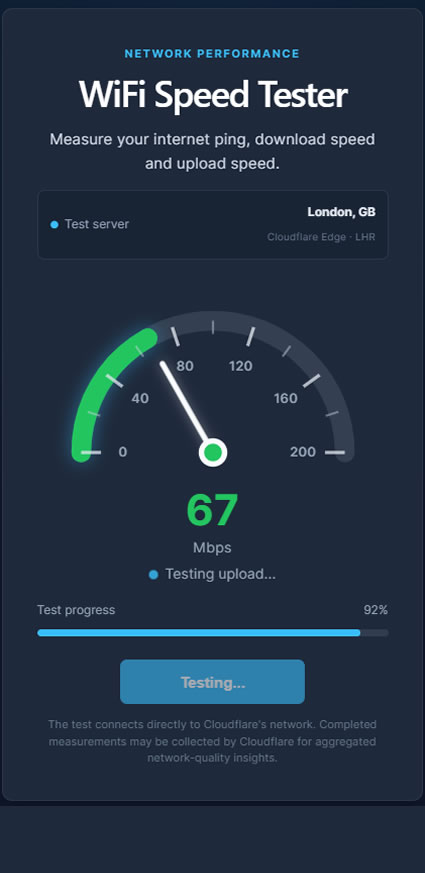
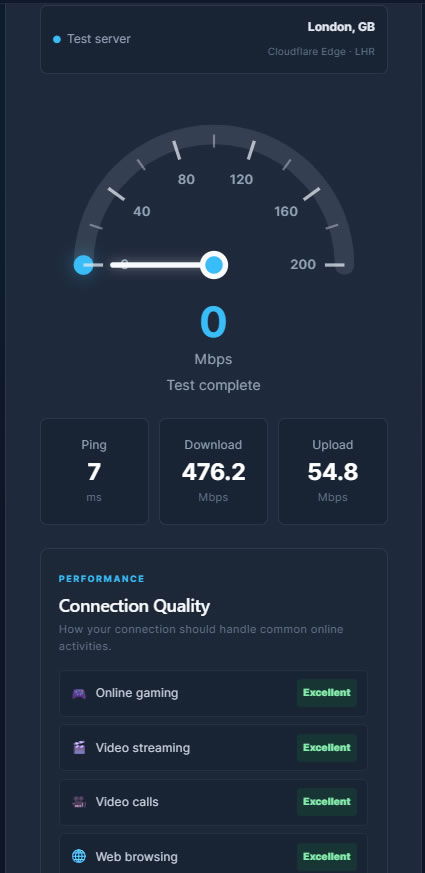
A current speed test provides a more useful estimate than relying only on the maximum speed printed on a broadband plan. Our My WiFi Meter speed test can measure the download speed currently reaching your device.
Choosing seconds or minutes for the result
Seconds are convenient for brief transfers, while minutes are easier to understand once a download lasts longer. A Seconds to Minutes conversion changes only the way the duration is written:
- 50 seconds ≈ 0.83 minutes
- 80 seconds = 1 minute 20 seconds
- 300 seconds = 5 minutes
- 500 seconds = 8 minutes 20 seconds
Using a Seconds to Minutes Converter makes a long download estimate easier to read, but it does not alter the actual transfer. The file size, available throughput and network conditions still determine how long the download takes.