
Use this Hours to Months Converter to translate long periods recorded in hours into approximate months. It is especially useful for reviewing data-centre uptime, cloud-service monitoring, equipment operating records, maintenance schedules and project timelines. This converter uses an average month of 730.5 hours, so the result is an estimate rather than an exact calendar date.
Hour to Month Conversion Formula
The conversion formula is:
1 h = 0.00136986301369863 Month
Or simply:
h × 0.00136986301369863 = Month
This conversion uses fixed seconds-based factors: 1 h = 3,600 s and 1 Month = 2,628,000 s.
Hours to Months Conversion Table
These conversions use an average month of 730.5 hours. Results are approximate because calendar months vary in length.
| Hours | Average Months |
|---|---|
| 1 hour | 0.001369 months |
| 10 hours | 0.013689 months |
| 24 hours | 0.032854 months |
| 48 hours | 0.065708 months |
| 72 hours | 0.098563 months |
| 100 hours | 0.136893 months |
| 168 hours | 0.229979 months |
| 336 hours | 0.459959 months |
| 500 hours | 0.684463 months |
| 720 hours | 0.985626 months |
| 730.5 hours | 1 month |
| 1,000 hours | 1.368925 months |
| 1,461 hours | 2 months |
| 2,191.5 hours | 3 months |
| 4,383 hours | 6 months |
| 8,766 hours | 12 months |
| 10,000 hours | 13.689254 months |
From Data‑Centre Uptime Hours to Months of Continuous Service
A data centre runs continuously, even while most people are asleep. Its servers keep processing requests, storing files and delivering online services. Monitoring systems often record this activity in hours, but a large hourly total can be easier to understand when expressed in months.
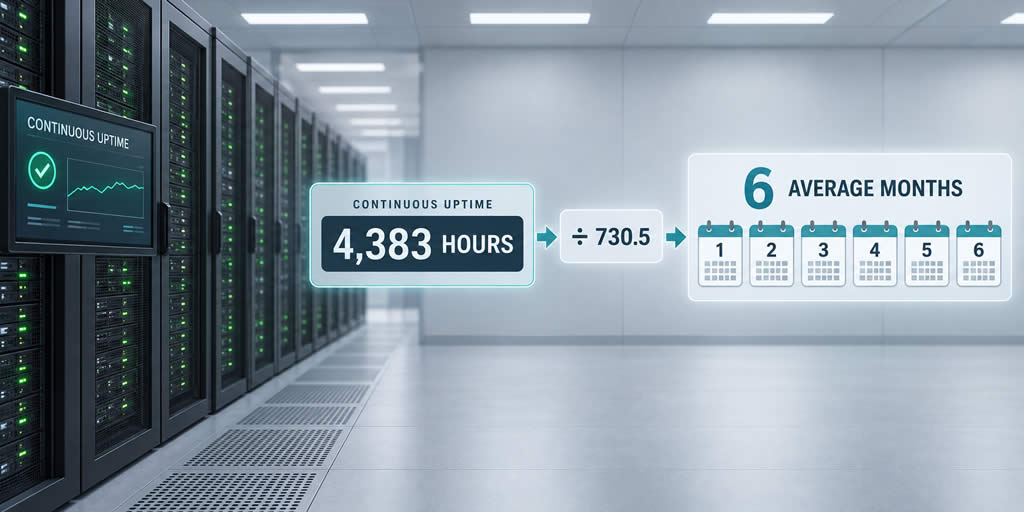
Imagine a fictional server whose dashboard reports 4,383 hours of uninterrupted operation. The number is precise, but it may not immediately convey how long the machine has been running. An hours to months converter expresses the same duration in a more familiar unit.
Why the Converter Uses an Average Month
Calendar months vary in length. February usually has 28 days, while other months have 30 or 31. A general conversion therefore needs a stated average.
This converter defines one average month as 30.4375 days. Since one day contains 24 hours:
30.4375 days × 24 hours = 730.5 hours
Therefore:
1 average month = 730.5 hours
To convert hours to months, divide the number of hours by 730.5:
Months = hours ÷ 730.5
This produces an average‑unit conversion. To measure the exact period between two calendar dates, use the actual timestamps instead.
When the Server Reaches Six Average Months
Applying the formula to the server's uptime gives:
4,383 hours ÷ 730.5 = 6 months
The server has accumulated the equivalent of six average months of continuous operation. Engineers may keep the exact figure of 4,383 hours in technical logs, while a management report describes the period as approximately six months.
| Uptime hours | Average months |
|---|---|
| 730.5 hours | 1 month |
| 1,461 hours | 2 months |
| 2,191.5 hours | 3 months |
| 4,383 hours | 6 months |
| 8,766 hours | 12 months |
Operating Hours Are Not the Same as Calendar Age
A server's operating hours do not necessarily match the time since installation. A machine installed eight calendar months ago might have been switched off for maintenance or hardware upgrades. Its calendar age could be eight months while its recorded operating time equals only seven average months.
The distinction is similar to the difference between a car's age and its engine hours. The car may be five years old, but its engine has operated for only part of that time.
- Calendar age measures the period between installation and the current date.
- Operating time records how long the equipment was running.
- Continuous uptime measures the unbroken operating period since the last restart.
Uptime Duration Is Not an Availability Percentage
Converting hours into months does not calculate service availability. Availability compares the time a service functioned successfully with the total period during which it was expected to be available.
A simplified formula is:
Availability = available time ÷ scheduled service time × 100
Suppose a service was scheduled to operate for 730.5 hours but experienced 30 minutes (0.5 hours) of unplanned downtime:
Available time = 730.5 − 0.5 = 730 hours
730 ÷ 730.5 × 100 ≈ 99.93%
The service operated for nearly one average month, but it did not achieve 100% availability. Some distributed systems calculate availability using successful requests rather than elapsed time, so the reporting method should always be stated.
Planned Maintenance Needs Clear Treatment
Providers may schedule maintenance to install updates, replace equipment or test backup systems. Whether that maintenance counts as downtime depends on the reporting policy or service agreement.
One report may exclude an approved maintenance window, while another may count every minute during which customers could not use the service. A meaningful uptime report should explain what was measured rather than present a percentage without context.
Why Engineers Continue to Record Hours
Months are convenient for summaries, but hours are more useful for technical maintenance. Storage devices, cooling systems, backup generators and power equipment may require inspection after a specific number of operating hours.
Hours also avoid uncertainty caused by unequal calendar months. Two calendar months can contain different numbers of hours depending on the month, the year and any local clock changes. Average conversions are useful for comparison, while timestamps are better for exact records.
One Duration Presented in Two Useful Ways
A monitoring system can preserve the exact total of 4,383 hours while a general report describes it as six average months. Neither unit changes how long the server operated; each simply presents the duration at a different scale.
The conversion does not prove perfect availability or replace dated maintenance logs. It simply makes a large hourly total easier to understand:
4,383 hours = 6 average months